



Connect your Amazon Seller Central account to understand your sales, fees, refunds, inventory, listings, fulfillment, and payouts in plain English.
Veltrix turns your own Amazon data into simple dashboards, alerts, and answers you can trace back to the source. Every seller’s data stays in their own workspace.
Primary button: Request Amazon Access

- Open Data Sources in Veltrix and select Connect on the Amazon tile.
- Sign in with your Amazon seller account and choose the account you want to connect.
- Approve the requested access. Veltrix will begin reading your Amazon data for dashboards, alerts, and answers. It will not make changes to your Amazon account.
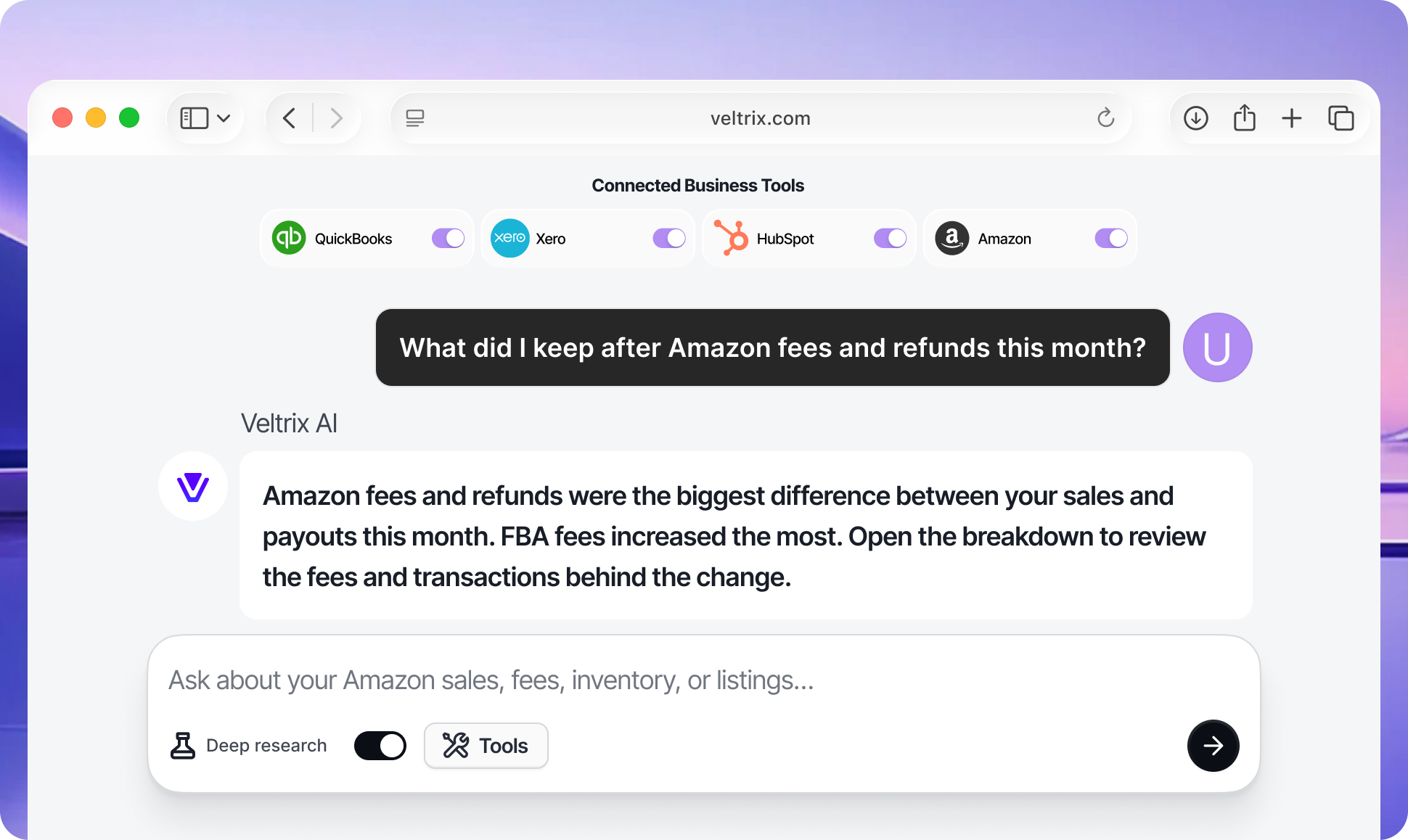
Ask Veltrix "What am I really making after Amazon fees and refunds?" and get a plain answer from your own Finance and Accounting data: gross sales, net sales after fees, settlements, and payouts. Owners see what they actually keep. Bookkeepers get source-backed numbers to review. Veltrix never shows competitor prices.
See your Inventory and Order Management metrics (order volume, average order value, refunds and returns, units sold), your Amazon Fulfillment view (FBA inventory levels, fulfillment status, low-stock and out-of-stock risk), and your Product Listing health (active SKUs, listing status, listing issues). Owners catch stockouts and listing problems early. Advisors flag them before they cost sales.
Veltrix turns your Selling Partner Insights account-health and standing signals into alerts, and for Brand Registry sellers adds your own Brand Analytics search-term and traffic insights. Connect Amazon with QuickBooks, Shopify, or Google Analytics to ask cross-tool questions like "Do my Amazon payouts match my books?" Every answer cites its source, and each seller sees only their own data.
.svg)


.svg)

